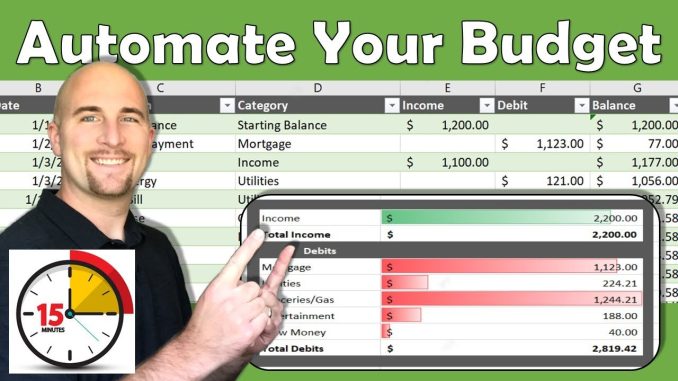
Setting up a personal finance spreadsheet is a foundational step towards gaining clarity and control over your financial life. While numerous budgeting apps and software solutions exist, a well-constructed spreadsheet offers unparalleled flexibility, customization, and a deeper engagement with your financial data, much like a seasoned business analyst prefers direct interaction with raw figures over automated reports. It empowers you to visualize your income, expenses, savings, and debt in a way that resonates with your specific needs, transforming abstract numbers into actionable insights. This detailed, hands-on approach is often the most effective way to truly understand your money habits and build lasting financial discipline.
The journey begins with selecting your preferred spreadsheet platform. Options range from **Microsoft Excel** to **Google Sheets** (a free, cloud-based alternative) or even Apple Numbers. The choice often comes down to personal familiarity and accessibility. Google Sheets offers excellent collaboration features if you’re managing shared finances, while Excel might appeal to those who prefer desktop software with advanced functionalities. Regardless of the platform, the core principles of structuring your data remain consistent. Think of your spreadsheet as a meticulously organized ledger for your personal economy, with distinct sections for different financial components.
The first essential component of your personal finance spreadsheet should be the **Income Tracker**. This section is straightforward but critical. Create columns for “Date,” “Source of Income” (e.g., Salary, Freelance, Bonus), and “Amount.” You might also include a “Net Amount” column if taxes or deductions are taken out before you receive the funds. The goal here is to establish a clear picture of all money flowing into your accounts. For individuals with multiple income streams, this section becomes even more valuable, allowing you to easily identify your total monthly or annual earnings. Just as a business tracks all revenue streams to understand its top line, you need a comprehensive view of your personal earnings.
Complementing your income, the **Expense Tracker** is arguably the most vital section for understanding where your money goes. This is where most people discover their “money leaks.” Design columns for “Date,” “Category” (e.g., Groceries, Rent, Utilities, Dining Out, Entertainment, Transportation), “Description” (a brief note about the expense), and “Amount.” The key to success here is **consistent data entry**. Whether you update it daily, every few days, or weekly, establish a routine that ensures all expenditures are captured. The “Category” column is particularly powerful for analysis; it allows you to sum up spending in different areas and identify patterns. For example, you might discover that your “Dining Out” category is far higher than anticipated, providing a concrete area for adjustment. This rigorous tracking mirrors how a company monitors departmental expenditures to control costs and optimize budget allocation.
Next, integrate a **Budget Overview** or **Summary Tab**. This section acts as your financial dashboard, providing a high-level view of your spending plan versus your actual expenditures. Create rows for each of your expense categories (matching those in your Expense Tracker). Then, have columns for “Budgeted Amount,” “Actual Spent,” and “Difference (Remaining/Overspent).” You can use simple SUM formulas to pull the “Actual Spent” figures directly from your Expense Tracker for each category. This allows for an instant comparison between your intentions and your reality. A “Total Income,” “Total Expenses,” and “Net Savings/Deficit” row at the bottom will give you an immediate financial snapshot. This summary is analogous to a company’s profit and loss statement, offering a concise summary of financial performance.
For those managing debt, a dedicated **Debt Tracker** tab is incredibly useful. Here, you can list each debt (e.g., credit card, student loan, car loan), its “Original Balance,” “Current Balance,” “Interest Rate,” “Minimum Payment Due,” and “Next Payment Due Date.” You can also include columns to track payments made and interest accrued over time. Visualizing your debts in one place helps you prioritize which ones to tackle first, especially if you’re employing strategies like the “debt snowball” or “debt avalanche.” Seeing the current balance decrease over time can be a powerful motivator, providing tangible evidence of progress, much like a business meticulously tracks its liabilities and their reduction.
Finally, consider a **Savings/Investment Tracker**. This tab will monitor your progress towards various financial goals. Create rows for specific goals like “Emergency Fund,” “Down Payment,” “Retirement,” “Vacation Fund,” etc. Columns could include “Goal Amount,” “Current Balance,” and “Amount Needed.” This allows you to see how close you are to achieving your savings targets and encourages consistent contributions. For investments, you might track initial contributions, current value, and perhaps even basic performance indicators. This proactive tracking of financial goals mirrors a business’s approach to tracking key performance indicators (KPIs) to measure progress against strategic objectives.
The true power of a personal finance spreadsheet lies not just in its initial setup but in its **consistent maintenance and periodic review**. Set a dedicated time each week or month to update your transactions, review your budget, and assess your progress. Over time, you’ll gain invaluable insights into your spending habits, identify areas for improvement, and build a stronger, more confident relationship with your money. While the initial effort may seem daunting, the clarity, control, and reduced financial stress it provides make it one of the most worthwhile investments of your time and attention. It’s a powerful tool that transforms passive financial management into active financial mastery.